One tap for your Mac shortcuts
Use your iPhone as a macro pad for your Mac.
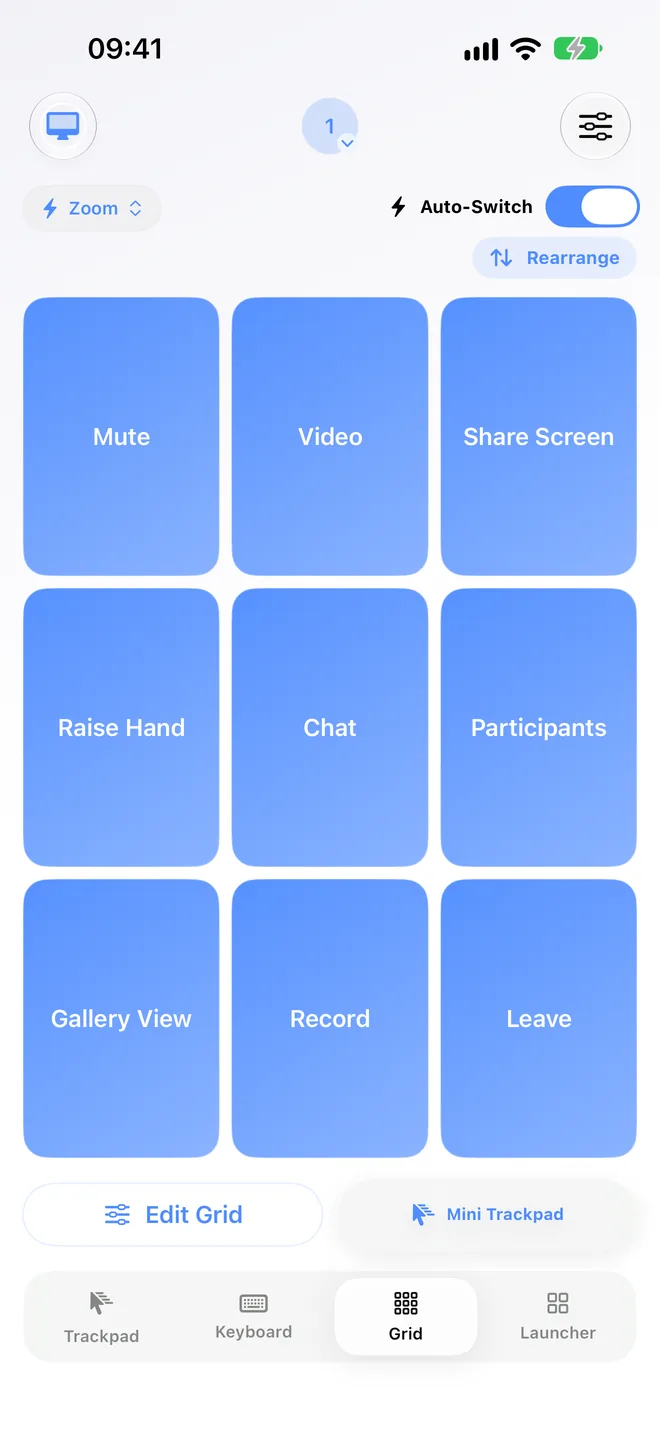
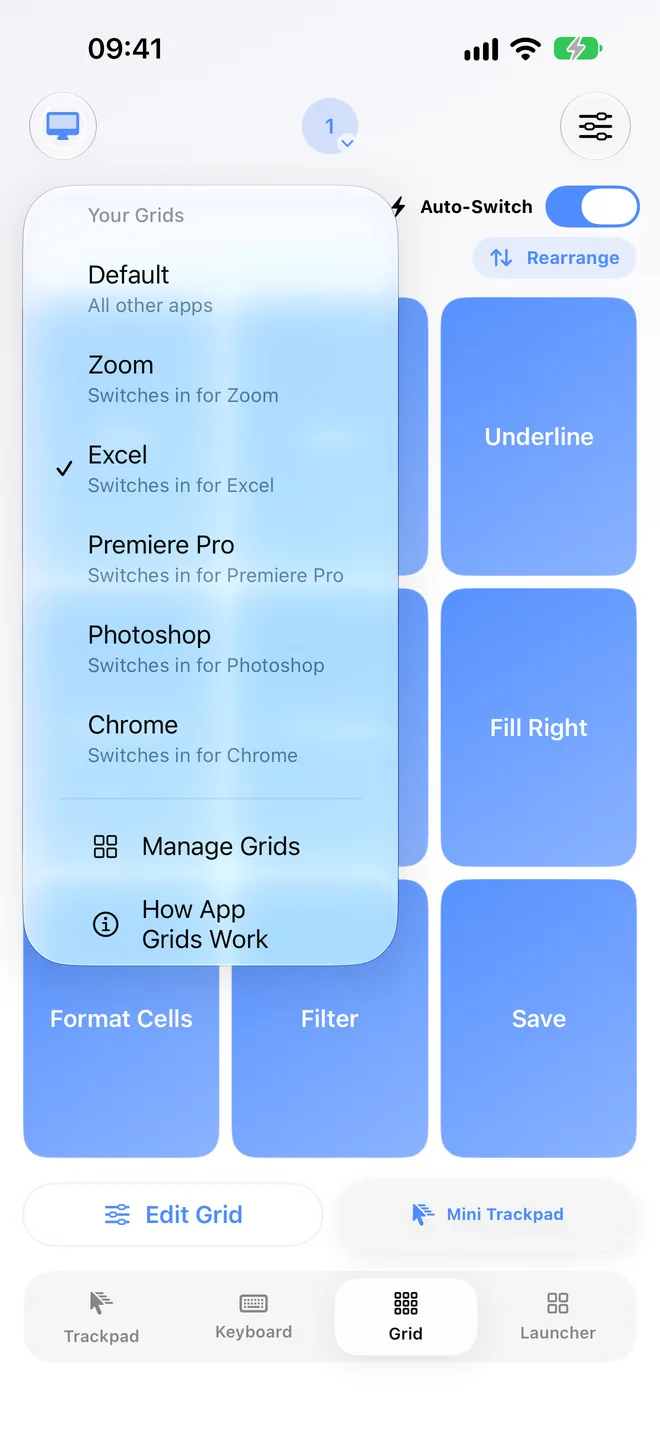
A macro pad is a small board of extra keys, each one firing a shortcut you'd otherwise have to finger-twist on the keyboard. Control My Mac turns the iPhone or iPad you already own into one: a Grid of one-tap buttons for your Mac shortcuts, with its own Grid for every Mac app, switching in by itself.
macOS 14+ · iOS/iPadOS 18+ · Free Mac app · No account
A starter Grid that works in every app
These are standard macOS shortcuts, so they work whatever app is in front. Make them your Default grid, then give your busiest apps a Grid of their own.
| Button | Mac shortcut | What it does |
|---|---|---|
| Screenshot | Shift-Command-4 | Capture a part of the screen you select |
| Screen tools | Shift-Command-5 | Open the screenshot and screen recording toolbar |
| Spotlight | Command-Space | Search apps, files and more |
| Mission Control | Control-Up Arrow | See every open window and Space |
| Emoji | Control-Command-Space | Open the emoji and symbols picker |
| Undo | Command-Z | Undo the last action |
| Redo | Shift-Command-Z | Redo it again |
| Hide app | Command-H | Hide the app that's in front |
| Full screen | Control-Command-F | Toggle full screen, in apps that support it |
| Force Quit | Option-Command-Esc | Open the Force Quit window |
| Lock Screen | Control-Command-Q | Lock your Mac right away |
| Close window | Command-W | Close the front window |
Default shortcuts from Apple's Mac keyboard shortcuts page, checked September 2026. Some depend on your macOS settings; if one does nothing, record it from your Mac instead.
Set it up in a minute
You need the free Mac app and Control My Mac on your iPhone or iPad. Pairing is one QR scan, then:
1. Open the Grid
Tap Grid at the bottom of the app. The grid you see first is Default, the one every app uses unless it has its own.
2. Add a button
Tap an empty square (+) on the Grid. Tap Start Listening, press the shortcut on your Mac's keyboard, then tap Stop Listening and Bind. Or tap Enter shortcut manually to pick the keys. A button can also send a few shortcuts back to back.
3. Name it and place it
Type a short name while recording, or touch and hold the button and tap Rename. Tap Rearrange to drag it where your thumb rests, and tap Edit Grid to pick how many rows and columns the Grid has.
4. Give busy apps their own Grid
With an app in front on your Mac, tap “Grid for” and that app's name. Its Grid switches in by itself whenever that app is in front. See the Premiere Pro, DaVinci Resolve and Final Cut Pro guides for ready-made examples.
Good to know
What “macro” means here. Each button sends a keyboard shortcut, or a few in a row, to your Mac. It doesn't type text snippets, run scripts or wait between steps. Most things a keyboard shortcut does on your Mac, a button can do too. Media keys like volume and brightness, and shortcuts you have to hold down, aren't supported.
Full App. A Grid for each Mac app and Auto-Switch are part of Full App: $3.99 a month in the US after a 7-day free trial, renewing until you cancel, or $17.99 once. The free Essentials plan includes one Grid button, so you can try the idea first.
Learning from the Mac. Recording a shortcut by pressing it on the Mac needs the Input Monitoring permission for the Mac app. It only listens while you're recording and saves just the combo. You can also set every shortcut by hand.
More than buttons. The same app is also a trackpad, a keyboard and a launcher for apps and windows, all built to be used with one finger. More in the iPhone as a mouse guide.
Questions people ask
Can an iPhone be a macro pad for a Mac?
Yes, with an app. Control My Mac turns an iPhone or iPad into a Grid of one-tap buttons that send keyboard shortcuts to your Mac over Bluetooth or Wi-Fi. You need the free Mac companion app.
Do I need to buy a hardware macro pad?
Not if your buttons are mostly keyboard shortcuts. A hardware pad is better if you want to press keys by feel without looking, or need knobs and dials.
Can the buttons change depending on the app?
Yes. Every Mac app can get its own Grid, made in one tap, that switches in by itself when that app is in front. Every other app uses your Default grid. This is part of Full App.
Does it work with Windows?
No. Control My Mac is for Macs only (macOS 14 or later), on iPhone or iPad.
Put a macro pad on the phone you own
The Mac app is free. Start the 7-day free trial of Full App on iPhone or iPad to give every Mac app its own Grid. It then renews at $3.99 a month in the US unless you cancel. If you cancel, Essentials stays free with the trackpad, keyboard basics and one Grid button.
macOS 14+ · Apple silicon · Intel Macs up to version 1.2.3 · No account