One sentence
37 wordsControl My Mac turns an iPhone or iPad into a shortcut deck for every Mac app: big one-tap buttons that switch by themselves as you change apps, plus a trackpad and keyboard you run with one finger.
For journalists, reviewers and creators
Control My Mac turns an iPhone or iPad into a shortcut deck for every Mac app: big one-tap buttons that switch by themselves as you change apps, plus a trackpad and keyboard you run with one finger.
Press contact: sebastian@controlmymac.com · Facts checked on 5 October 2026
The short version, for a fact box.
| What it is | An iPhone and iPad app (the remote) and a free Mac menu bar app (the receiver it pairs with). |
|---|---|
| Maker | Sebastian Škoić, a solo developer, also known as the tech creator Sebs_Tech. |
| Country | Slovenia |
| First release | 30 June 2026, on the App Store |
| Current versions | iPhone and iPad app 1.2.6 (3 October 2026). Mac app 1.2.7 (4 October 2026). |
| Requirements | An iPhone or iPad with iOS or iPadOS 18 or later. A Mac with macOS 14 or later and Apple silicon (M1 or newer). Intel Macs can use Mac app 1.2.3, the last Intel version. |
| Connection | Bluetooth (the default) or the same Wi-Fi network, paired by scanning a QR code. Direct between the two devices, encrypted, no account. |
| Prices | Free to download. The Essentials plan is free forever and the Mac app is free. Full App is $3.99 a month after a 7-day free trial, or $17.99 once (US prices). In euro countries: €4.99 a month or €19.99 once. No ads in any plan. |
| Languages | 16: English, German, French, Italian, Spanish, Portuguese (Brazil), Dutch, Polish, Turkish, Russian, Ukrainian, Slovenian, Japanese, Korean, Simplified Chinese and Traditional Chinese. |
| Privacy label | Data Not Collected (App Store). |
| Category | Productivity. Rated 4+. |
| Get it | iPhone and iPad app on the App Store. Free Mac app. |
Use them as they are or cut them down.
Control My Mac turns an iPhone or iPad into a shortcut deck for every Mac app: big one-tap buttons that switch by themselves as you change apps, plus a trackpad and keyboard you run with one finger.
Control My Mac turns your iPhone or iPad into a shortcut deck for your Mac. Every Mac app can get its own Grid of one-tap buttons that switches in by itself. Press a shortcut on your Mac and it's saved. One finger also runs the trackpad and keyboard. No account.
Control My Mac turns the iPhone or iPad you already own into a shortcut deck for your Mac. Every Mac app can have its own Grid of one-tap buttons that switches in by itself when that app is in front: editing shortcuts in your video editor, tab controls in your browser. To add a shortcut, press it once on your Mac. When you need more than buttons, the same finger runs the rest of the Mac: trackpad, live or draft keyboard, app launcher and window switching. Everything works one-handed, so two-hand shortcuts become a single tap. Phone and Mac connect directly over Bluetooth or Wi-Fi, encrypted, with no account. The Mac app is free; the full Grid is an optional upgrade.
Control My Mac is an iPhone and iPad app with a free Mac companion, made by solo developer Sebastian Škoić in Slovenia. It turns the phone or tablet into a shortcut deck that follows whichever Mac app is in front, plus a trackpad, keyboard, app launcher and window switcher, all usable with one finger. It needs no account, the apps collect no data, and phone and Mac connect directly over Bluetooth or Wi-Fi with encryption. Available in 16 languages on the App Store; the Mac app is at controlmymac.com.
App grids and Auto-Switch are part of the paid Full App. The free Essentials plan includes one Grid button.
Tap an image for the full-size PNG. All eight are in the zip too.
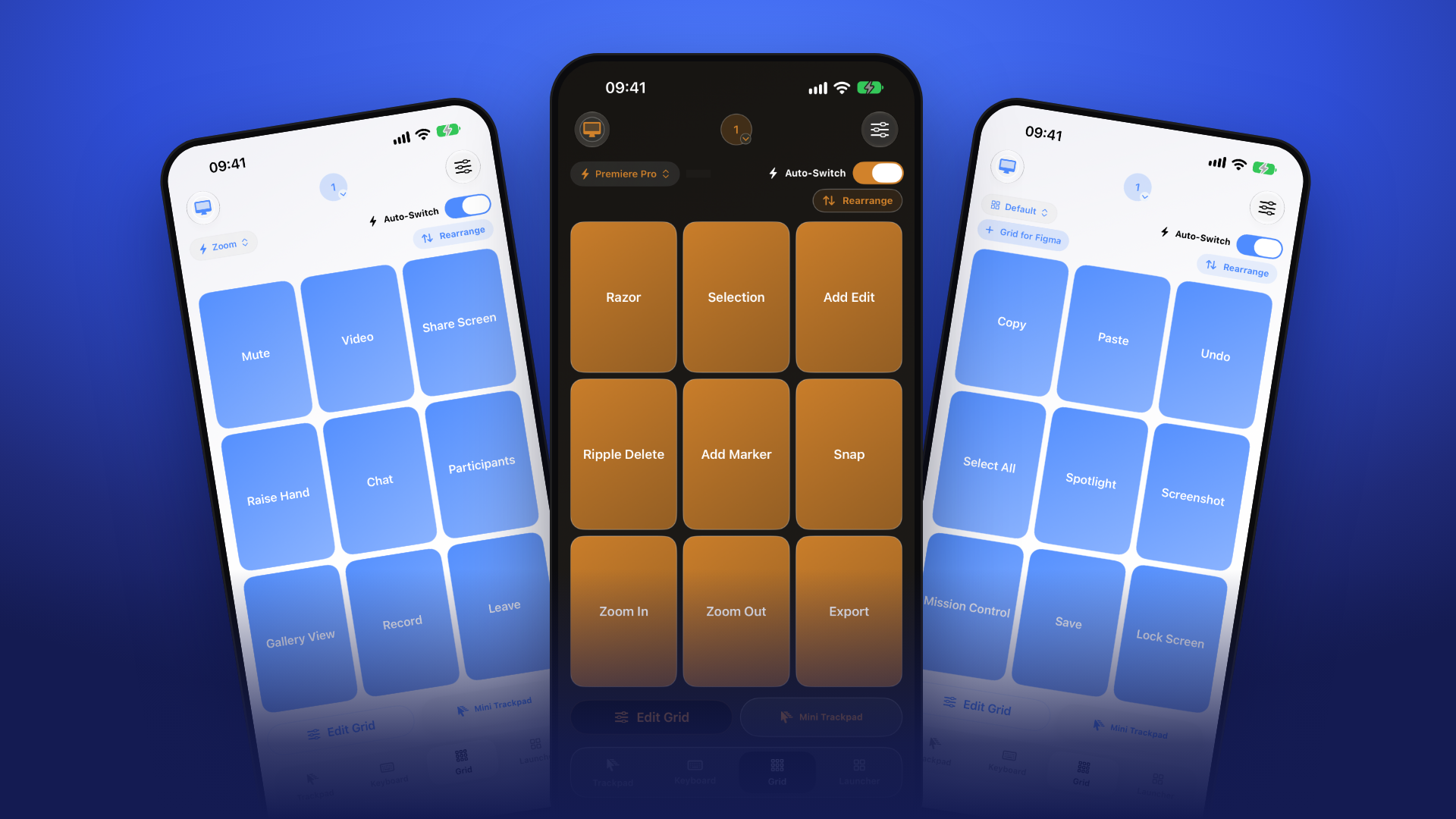
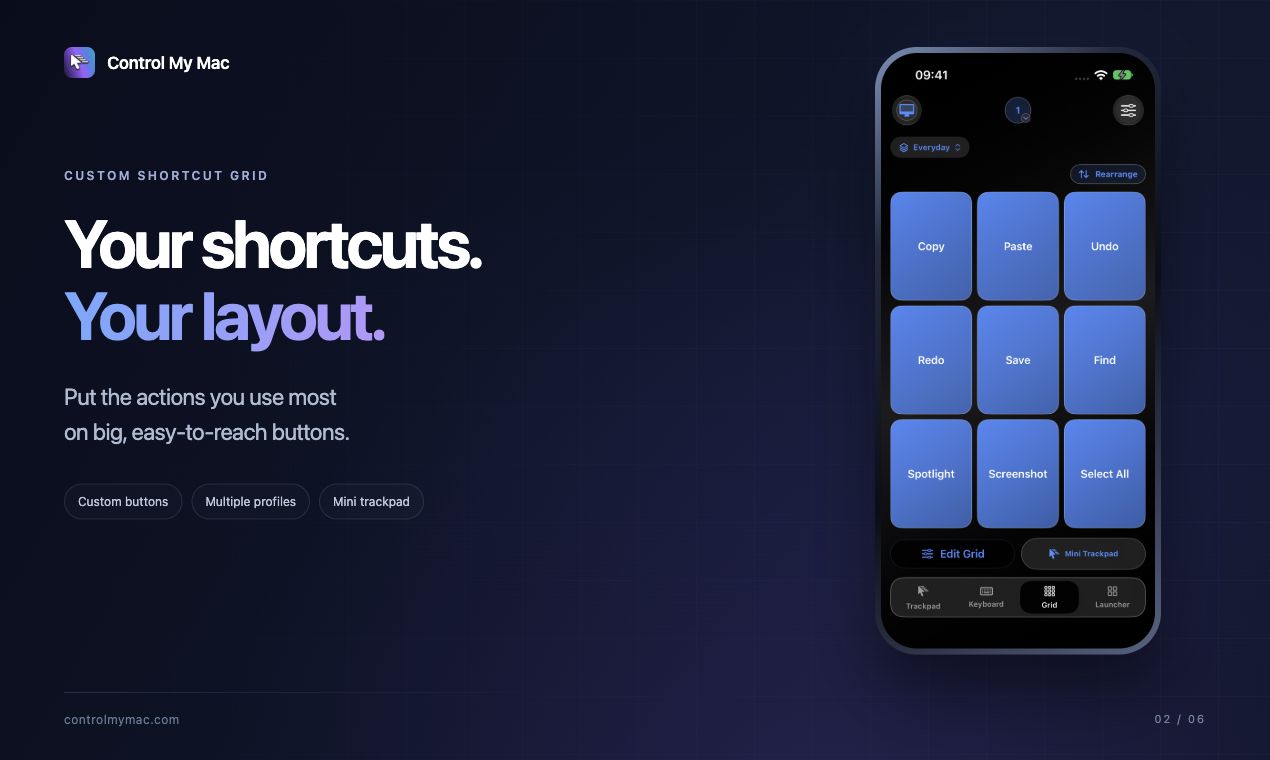
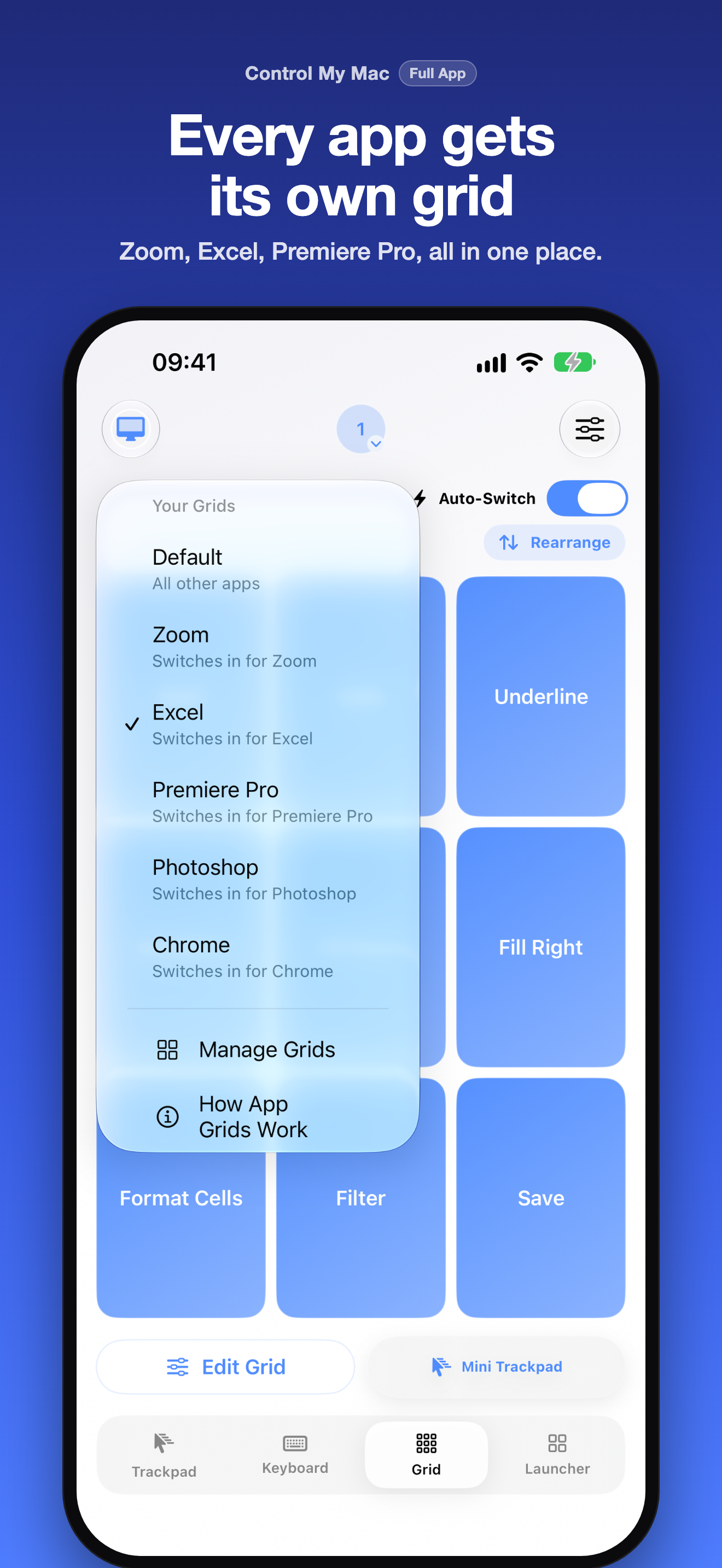
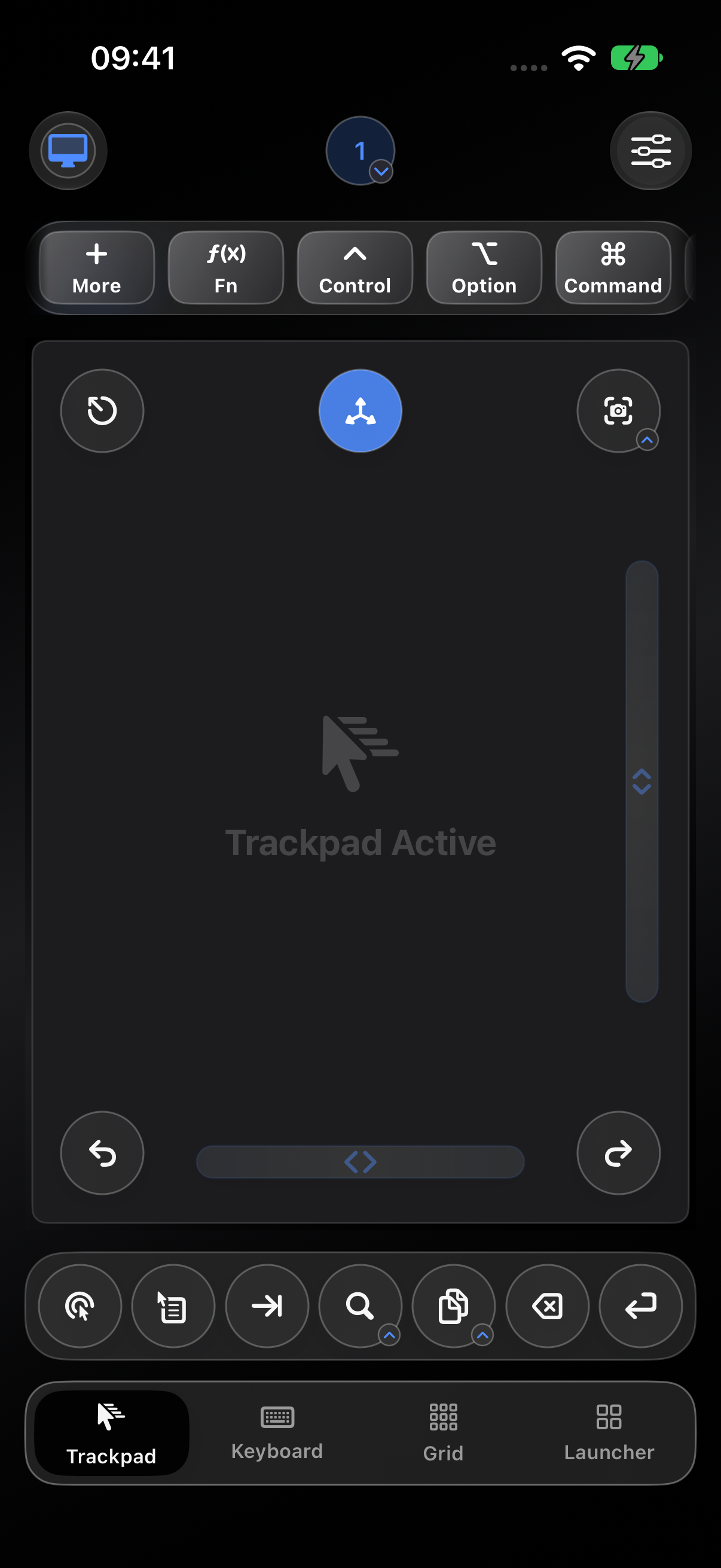
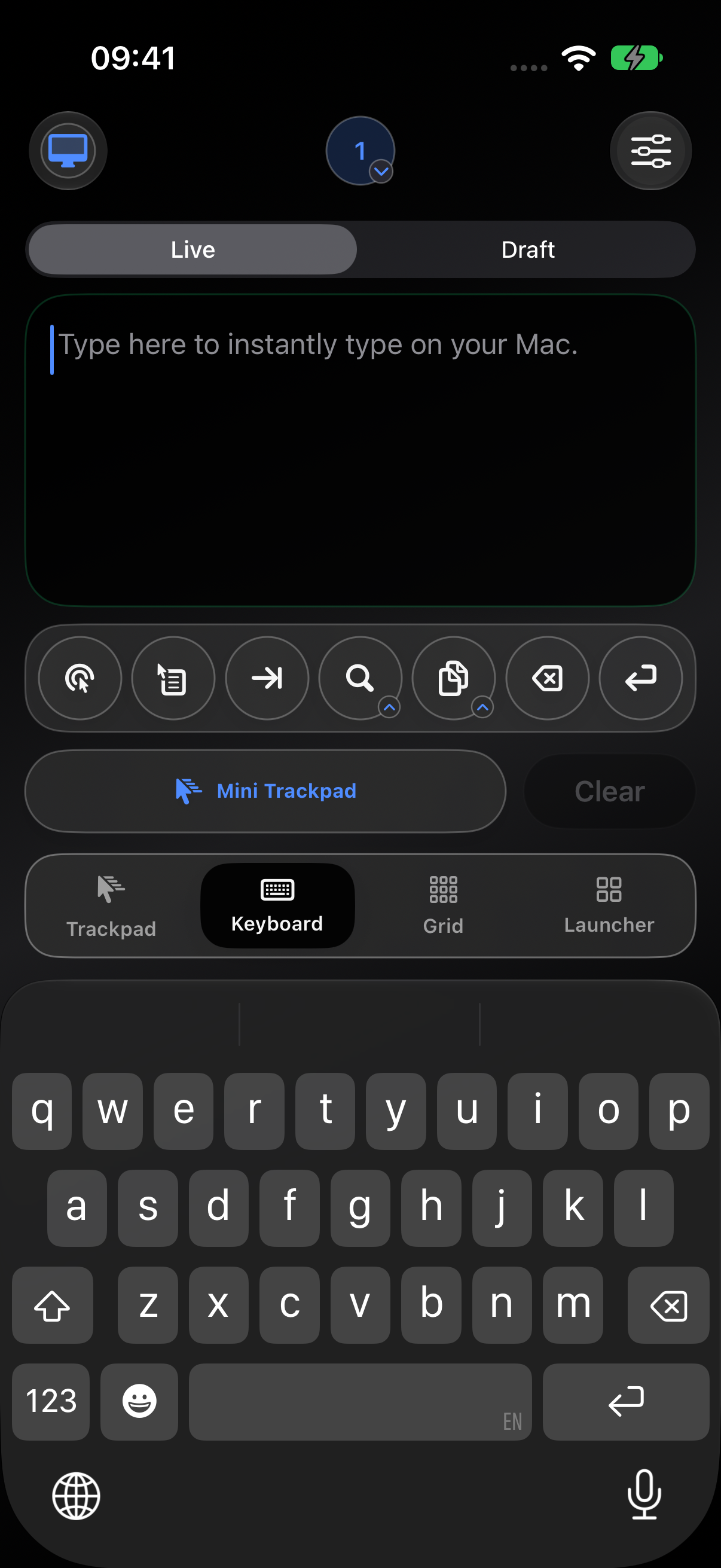
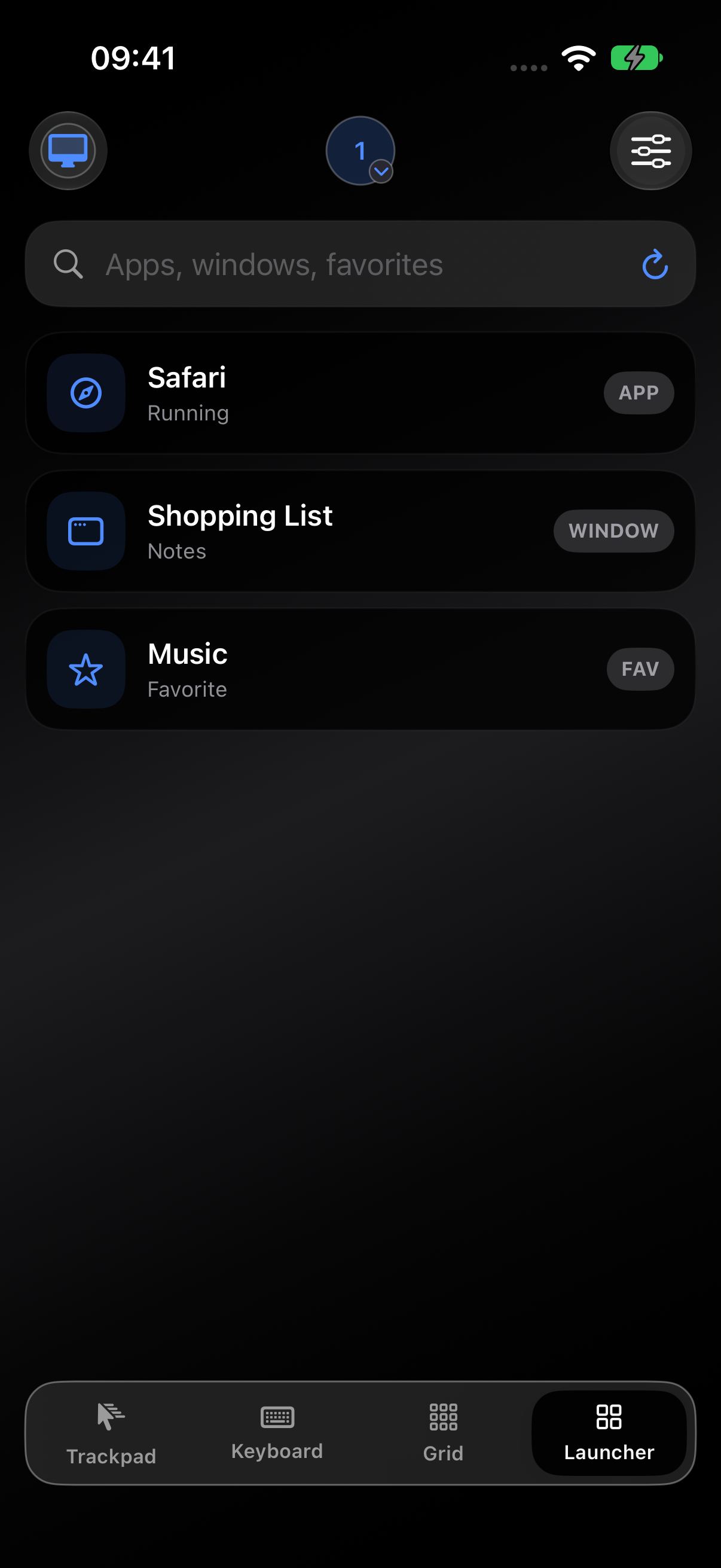
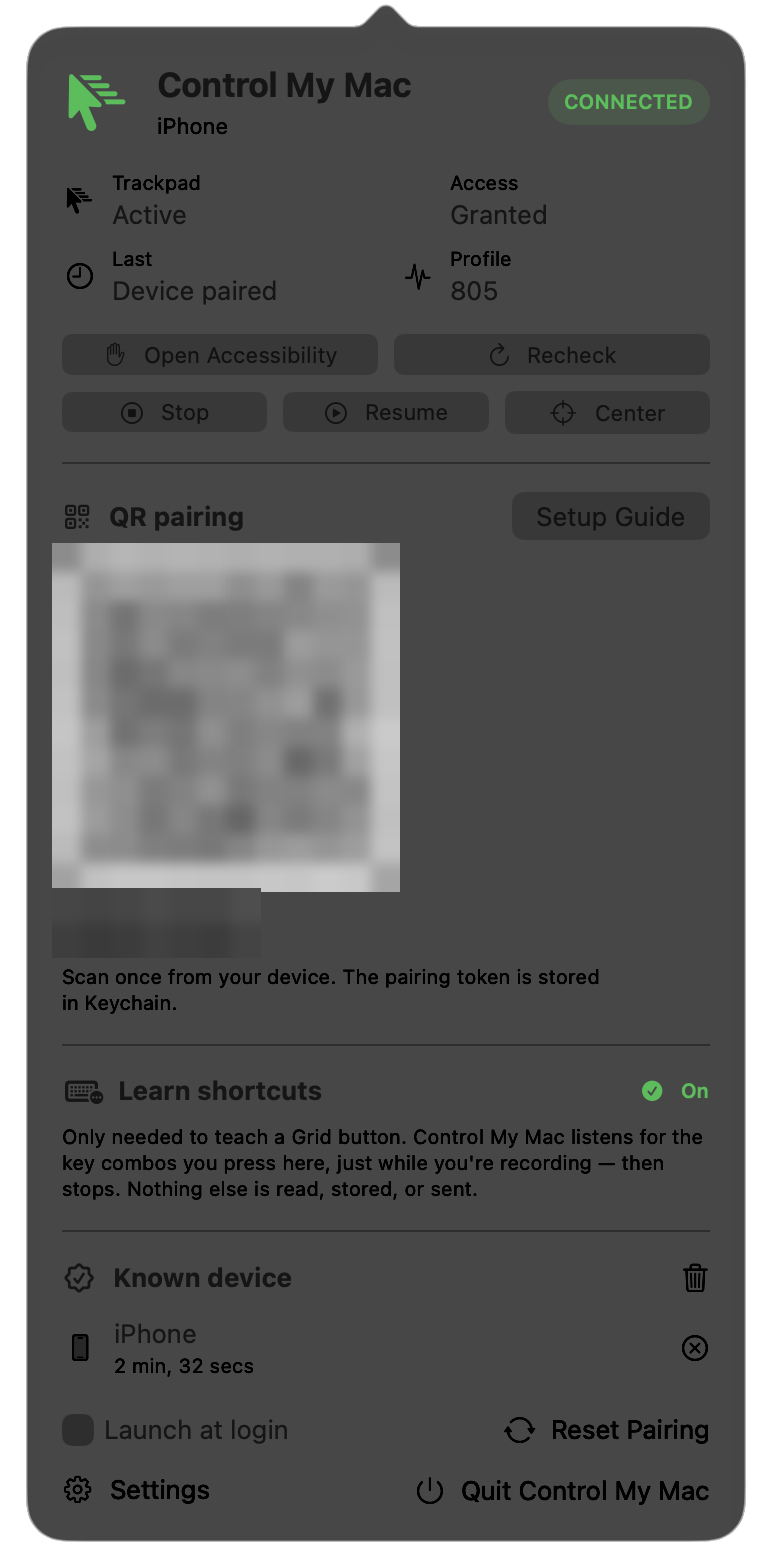
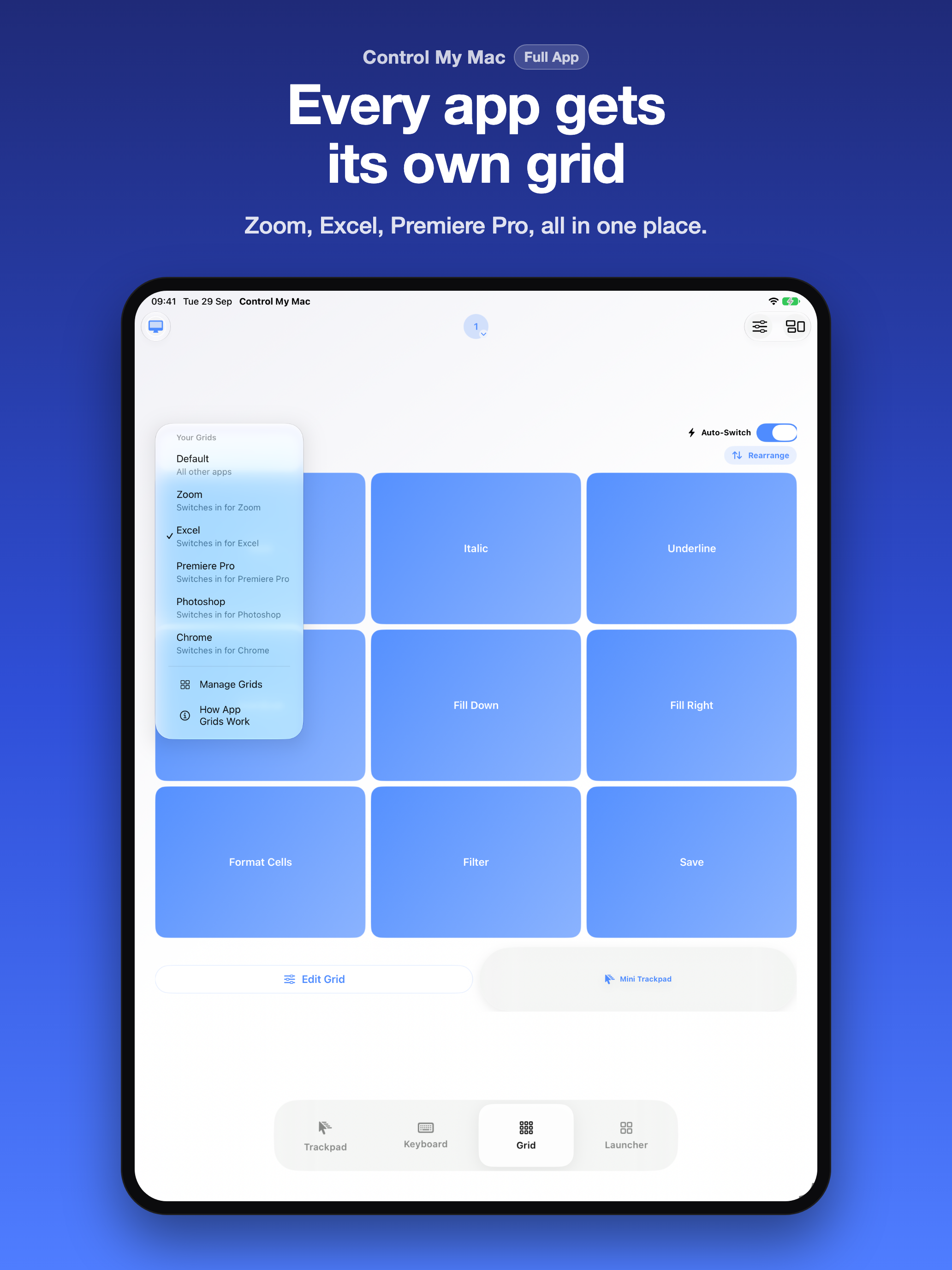
You may use these images in coverage of Control My Mac. The app screens show demo data.
One minute, with sound.
The video is hosted on YouTube and loads only when you press play. To link or embed it, use youtube.com/watch?v=tFjjSwfIPU0.

Sebastian Škoić is a solo app developer from Slovenia and the tech creator behind Sebs_Tech, with more than 30,000 followers across TikTok, Instagram and YouTube. He designed, built and ships Control My Mac on his own: the iPhone and iPad app, the Mac app and the website.
Contact: sebastian@controlmymac.com · Photo: JPG, 1080 × 1080, 243 KB
“Your Mac has hundreds of keyboard shortcuts and a lot of them need two hands. I wanted each one to be a single tap on the phone that's already next to you, and I wanted the buttons to change by themselves when I switch apps.”
“When Premiere is in front, my phone shows my editing shortcuts. When I jump to Safari, it shows tab controls. I don't touch anything, it just follows me.”
“It's your phone and your Mac talking to each other, and that's it. No account, no servers, nothing to sign up for. That's how I'd want a remote for my own computer to work.”
“If a shortcut needs two hands, that's a problem for a lot of people. On the Grid it's one tap with one finger.”
“I'm one person in Slovenia. Every button in the app is something I use myself.”
Quotes by Sebastian Škoić, maker of Control My Mac. You may use them and the photo in coverage of Control My Mac.
The Grid first, then the rest of the Mac under one finger.
| Essentials, free forever | Full App |
|---|---|
| Trackpad movement, click and right click | Everything in Essentials |
| Live and Draft keyboard basics | Scrolling, full gestures and Mini Trackpad controls |
| One Grid button | The full Grid: app grids, Auto-Switch, learning shortcuts from the Mac, rearranging |
| Launcher preview | Launcher and window switching without upgrade prompts |
| Dark mode, accent colors, Help Mode | Your own shortcut buttons, up to 12 in the trackpad's top row |
| No ads, no account | No ads, no account |
Full App is $3.99 a month after a 7-day free trial, or $17.99 once, in the US. It is bought in the iPhone or iPad app through Apple.
Your phone and your Mac talk to each other, and nobody else.
Built for people who can tap a phone screen but find a mouse, a trackpad or two-hand shortcuts hard: one usable hand or arm, a weak grip, limited finger movement, tremor or hand pain.
Control My Mac is a remote control app, not a medical or certified assistive device. Screen reader, switch and voice control support have not been tested on a device yet, so the app does not claim them.
A shortcut deck for every Mac app on your iPhone or iPad, plus a trackpad and keyboard you run with one finger.
The free Mac app shows a QR code. Scan it with the iPhone or iPad app and the two are paired. After that they talk directly over Bluetooth (the default, no network needed) or the same Wi-Fi network. Nothing goes through the internet or a server, and there is no account.
None from the apps. The App Store privacy label is Data Not Collected. There is no account, no analytics and no ads in the apps, and the connection between the two devices is encrypted. The website is separate: it counts visits in aggregate and has optional email sign-ups, all described in the privacy policy.
A Mac with macOS 14 or later and Apple silicon. Intel Macs can use Mac app version 1.2.3, the last Intel version. The iPhone or iPad needs iOS or iPadOS 18 or later.
It is a free download from controlmymac.com/download. It is signed with an Apple Developer ID, notarized by Apple, and it updates itself. It is not on the Mac App Store.
Not from an iPhone. As of September 2026, macOS has no built-in way to use an iPhone as a mouse or trackpad. It can share a Mac's keyboard and trackpad with another Mac or an iPad, and it can use an iPad as a second display. Neither works with an iPhone, and neither gives you shortcut buttons for each app.
Physical keys can be pressed without looking, and some hardware decks have dials or run plugins. Control My Mac sends keyboard shortcuts only. It is for people whose buttons would mostly be Mac shortcuts and who would rather use the phone they already own. The deck comparison has the details.
Many of them cover more platforms and add extras such as media remotes. Control My Mac works only with Mac, iPhone and iPad, and spends that focus on the per-app shortcut Grid, a Draft keyboard, one-finger use from pairing onward, no ads in any plan and no account. The comparison page has the details.
Yes. Switching by app is not new on its own. What Control My Mac combines is a Grid that follows the Mac app in front, learning shortcuts straight from the Mac keyboard, the whole Mac under one finger, Bluetooth with no Wi-Fi needed, and no account.
Any Mac app that has keyboard shortcuts, for example video editors, design tools, browsers, spreadsheets and video call apps. Each app can have its own Grid. The macro pad guide has a starter Grid and links to ready-made Grids for three video editors.
Only for keyboard shortcuts. It does not control streaming software scenes or plugins.
It is free to download, with a free Essentials plan forever and a free Mac app. Full App is $3.99 a month after a 7-day free trial, or $17.99 once, in the US. In euro countries it is €4.99 a month or €19.99 once. The App Store shows each country's own price. There are no ads in any plan.
Yes. Full App has a 7-day free trial on the monthly plan, which renews at the monthly price unless you cancel. For longer review access, email sebastian@controlmymac.com.
It is built for people with limited hand or arm use: one finger for everything, large targets, two-hand shortcuts as one tap, and support for the largest text sizes. Screen reader, switch and voice control support have not been tested on a device yet, so the app does not claim them.
16: English, German, French, Italian, Spanish, Portuguese (Brazil), Dutch, Polish, Turkish, Russian, Ukrainian, Slovenian, Japanese, Korean, Simplified Chinese and Traditional Chinese. The website is in the same 16 languages.
Not today. It is for Mac, iPhone and iPad only. Windows and Android versions are on the way, and the homepage has a waiting list for them.
Sebastian Škoić, a solo developer in Slovenia, also known as the tech creator Sebs_Tech.
Questions, review access or anything missing from this page: Sebastian answers his own email.
Stream Deck is a trademark of Corsair Memory, Inc. Premiere is a trademark of Adobe. iPhone, iPad, Mac, macOS, Safari and App Store are trademarks of Apple Inc. Other product names, including the app names shown in the screenshots, belong to their owners. Control My Mac is not affiliated with or endorsed by any of them.
Facts checked on 5 October 2026.